

Classroom Review Games That Don't Require Student Devices
For whole-class review with only a projector, Baamboozle is the most flexible free choice, JeopardyLabs is the fastest way to build a plain board without an account, Kleveroo adds ready-made boards…

Key takeaways
- 01"No student devices" is a property of a specific mode, not of a whole product — Factile buzzers, Kleveroo Live Trivia and Kahoot classic play all add devices.
- 02Baamboozle's homepage states it plays from one screen with no devices needed, and a free Basic plan is offered.
- 03JeopardyLabs is a question board with a scoreboard; players answer aloud or by raising hands, and Quick Build starts without an account.
- 04Kleveroo's projected team board needs no student devices; its Live Trivia is a separate mode where each student uses a device.
- 05A whiteboard grid with sticky-note clues needs no software, Wi-Fi or account and suits rooms with unreliable tech.
Most "best review game" lists assume every student has a Chromebook. Plenty of classrooms do not — or the teacher would rather keep screens down for one period. This guide covers only formats that genuinely run from the teacher's screen, and it names the exact mode in each tool, because the same product can be device-free in one mode and device-dependent in another.
If you want the wider landscape, including device-based tools, see The Best Classroom Review Games for Teachers. For a deeper look at board-style tools specifically, see Best Jeopardy-Style Classroom Review Tools.
What "no student devices" actually means
We counted a format as device-free only when all of these are true in the provider's own documentation:
- One screen: the teacher projects or screen-shares a single browser window.
- No student join: students do not enter a PIN, scan a QR code or sign in.
- Host-controlled scoring: the teacher awards and removes points on the shared screen.
- Answers happen in the room: aloud, on paper or mini whiteboards, or through a team spokesperson.
We did not run hands-on comparisons or timed classroom tests for this article. The options below are organized by use case, not an overall ranking. Feature and plan details come from official product, help and pricing pages, accessed October 16, 2026.
Quick format map
| Tool | Device-free format | Mode that adds devices |
|---|---|---|
| Baamboozle | One-screen team play | — (core design is one screen) |
| JeopardyLabs | Projected board + scoreboard | None built in; an optional separate buzzer site exists |
| Kleveroo | Projected team board | Live Trivia (each student on a device) |
| Factile | Projected board, host scoring | Virtual buzzers |
| Whiteboard grid | Entirely offline | — |
Baamboozle: built around one screen
Baamboozle's homepage says it in plain terms: "Play from one screen, no devices needed." The game is shown on the shared screen and the teacher runs it from there. A free Basic plan is offered; Plus unlocks additional game options and private games, according to the pricing page.
Use it when you want variety beyond a Jeopardy grid and public games to adapt. Watch for public games of uneven quality — check any shared game before class.
JeopardyLabs: the plain board, no account to start
JeopardyLabs' own help page describes the device-free format exactly: present the board on a screen, click a square to show the question and answer, let players "buzz in" by shouting a name or raising a hand, and allocate points. Team names and scores are editable fields, and number keys plus arrow keys select a team and adjust points.
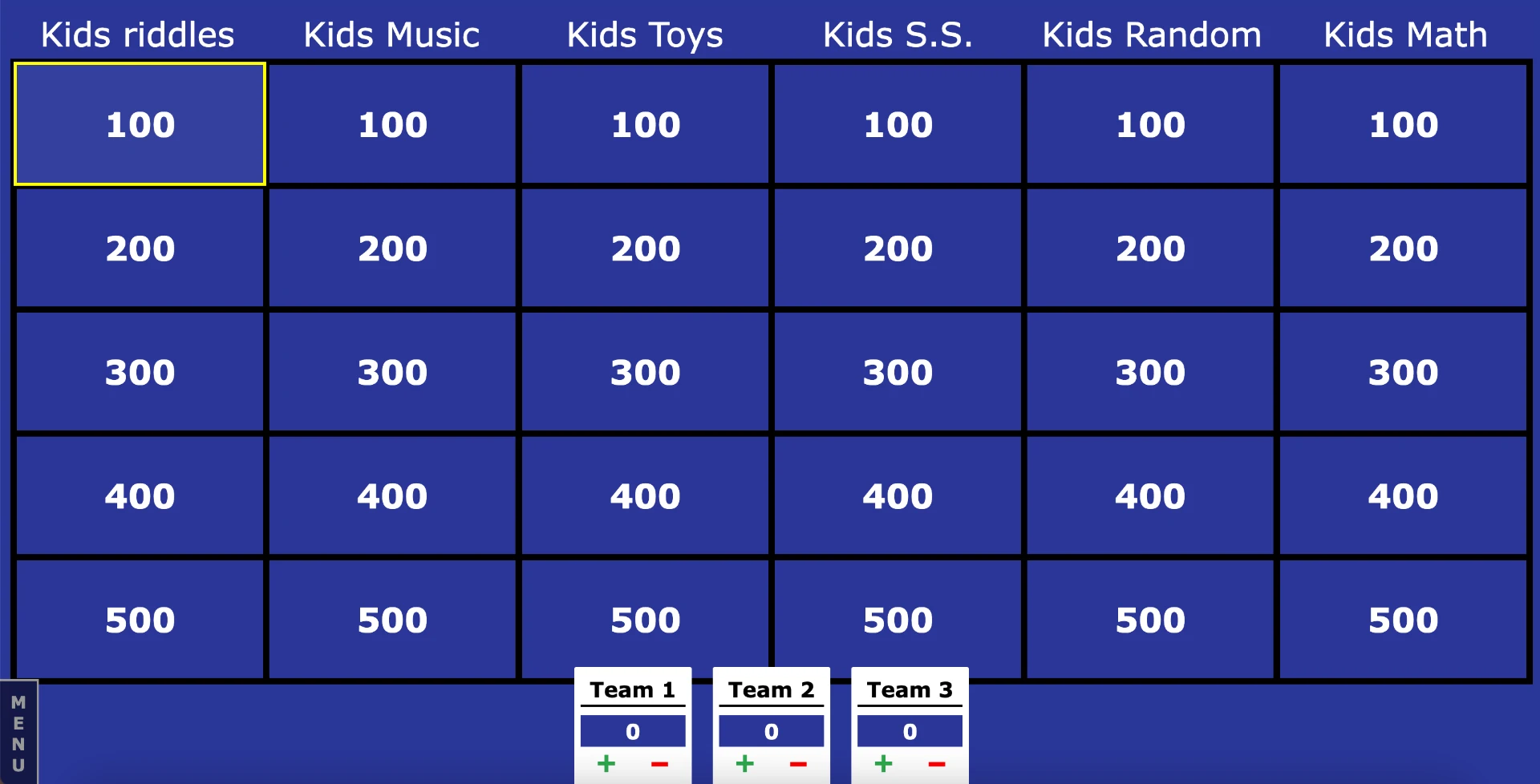
JeopardyLabs board in play: categories across the top, point values in the grid and editable Team 1–3 scores along the bottom. Screenshot of a public JeopardyLabs board, used for editorial illustration.
Use it when you want a plain board and minimal setup. Watch for its intentional minimalism: no built-in timer, music or special rounds.
Kleveroo: projected team board, separate device mode
Ownership note: Brain Rush Games and Kleveroo share an owner — see the disclosure above. We applied the same criteria here.
Kleveroo's teachers page describes a projected 5×5 board for split-the-class team play, with team scoring and played-clue tracking built in and "no student devices needed." It also states clearly that its Live Trivia, where every student answers on their own device, is a separate mode — so check which link you open before class.
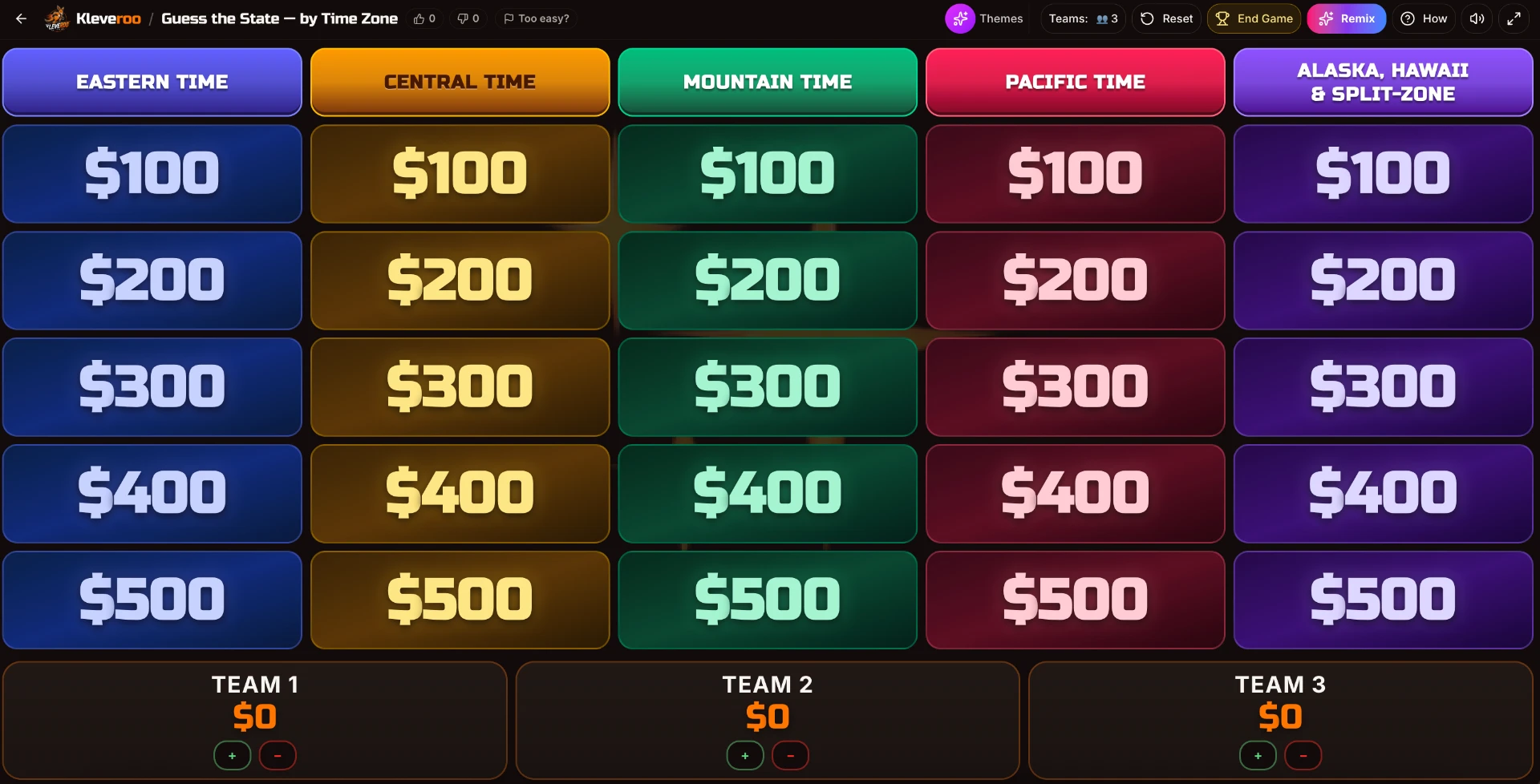
Kleveroo's projected board with team scores along the bottom and host controls in the top bar. Screenshot of a public Kleveroo board.
The site also offers ready-made classroom boards and can draft a board from uploaded lesson material. Check every AI-generated clue before projecting. The manual board and public board library are useful even when you do not need AI.
Factile: one screen, as long as you skip buzzers
Factile's feature page leads with virtual buzzers — "turn any device into a buzzer" — and that part does require devices. The underlying board, though, runs on the host screen with Manage Teams, Leader Board and per-team plus/minus scoring, so it works as a projected game.
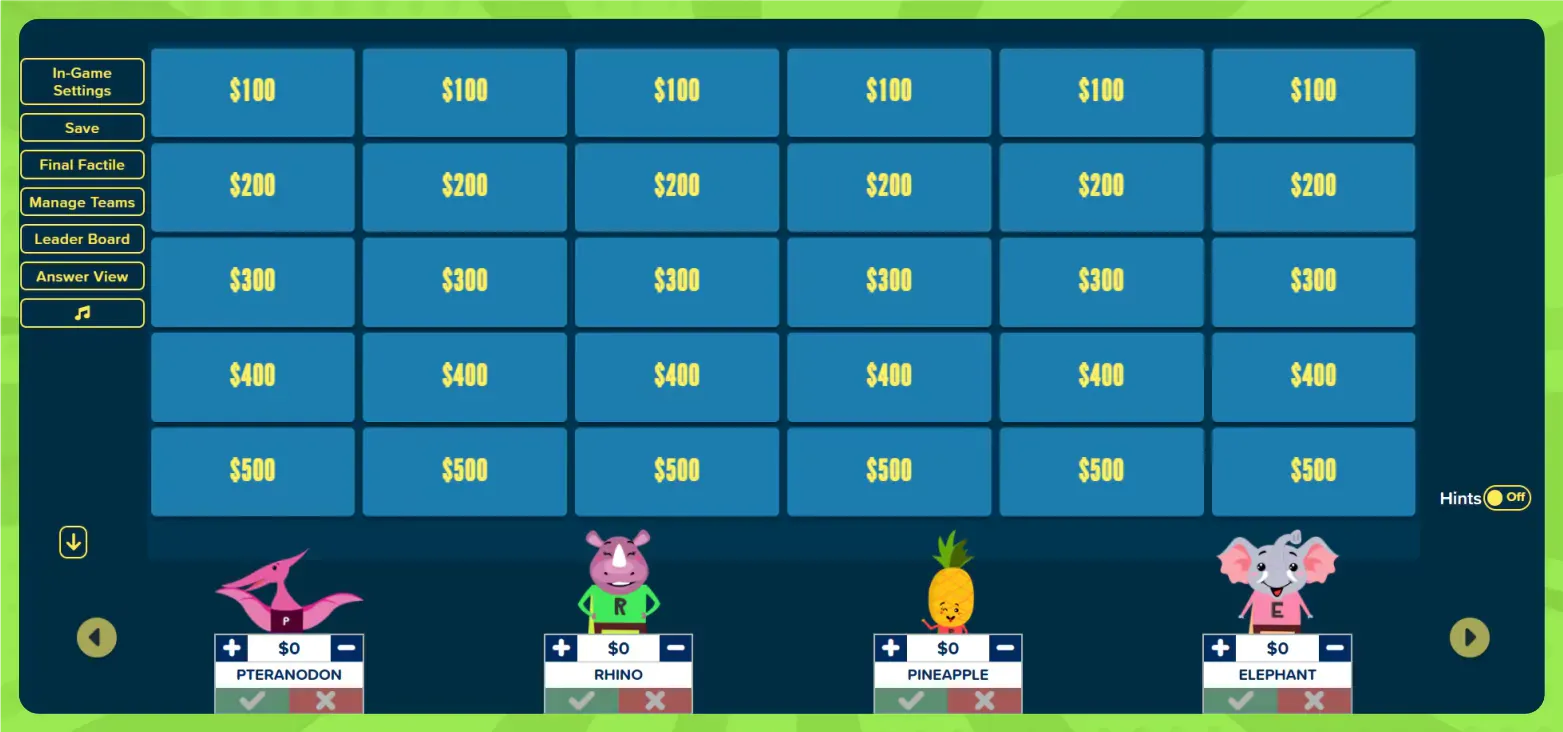
Factile host view: in-game settings, Final Factile and Manage Teams on the left, with manual scoring under each team. Screenshot of a Factile board.
Use it when you want game-show touches on a projector. Watch for the free limit of three custom games.
The offline option: a whiteboard grid
If the projector is unreliable — or you want zero setup risk — draw a 5×5 grid, write point values in each cell and keep clues on index cards or a printed sheet. Cross out each cell once played and keep scores in a corner of the board. Nothing to load, no Wi-Fi, no account. The trade-off is preparation by hand and no images or audio.
How to choose
- No account, ten minutes to spare: JeopardyLabs.
- Varied one-screen team games: Baamboozle; check which formats are included in Basic.
- Ready-made or AI-drafted Jeopardy-style boards: Kleveroo's projected mode (check every AI clue).
- Game-show polish, still projector-only: Factile without buzzers.
- No reliable tech: whiteboard grid.
Whichever you pick, the room still needs rules for turns, steals and timing. Our Jeopardy-style class run sheet covers that in detail.
How we ranked these
Rankings are editorial judgements set by our editors against the criteria below. We do not publish scores.
- •Device requirements — Whether the format we describe works with only the teacher's screen — and exactly which modes add devices.
- •Ease of setup — How much preparation a teacher has to do before the first round.
- •Free usability — What is usable on the free tier, per the provider's own pricing pages.
- •Classroom suitability — Fit for whole-class team review in a normal lesson period.
Side-by-side comparison
| Feature | JeopardyLabs | KleverooAffiliated | Factile | Baamboozle |
|---|---|---|---|---|
| Free plan | Yes | Yes | Yes | Yes |
| Pricing | Free to build and play; $20 one-time lifetime membership for member features | Free plan $0; Kleveroo Boards $4.99/month; Kleveroo+ $9.99/month | Free account with up to 3 custom games; Home/School Basic from $48/year | Free tier with a paid plus plan |
| Best for | Projecting a Jeopardy board for teams sharing one screen | Modern hosted Jeopardy-style games with flexible manual or AI-assisted creation, especially for classrooms, teams and group game nights | Jeopardy boards that need real buzzers or remote players | Team review games in rooms with no student devices |
| AI generator | No | Yes | Yes | No |
| Live multiplayer | No | Yes | Yes | No |
| Team scoring | Yes | Yes | Yes | Yes |
| Custom boards | Yes | Yes | Yes | Yes |
| Player devices required | Runs from a single shared screen; no player devices needed. | Not required for hosted board play — a host can project the board and run teams from one shared screen. Players may optionally join multiplayer rooms from their own phones or laptops. | Board can run on one shared screen; buzzer mode requires players to have their own devices. | Designed for one-screen play: the host projects the game and teams answer in the room, with no player devices needed. |
| Account required | No | Yes | Yes | No |
| Official site | Visit | Visit | Visit | Visit |
Fields marked “Not verified” are ones our editors have not confirmed against official sources yet. We leave them blank rather than guess.
Platform details
JeopardyLabs
Best for: Fastest plain board, no account to start
A focused, long-running builder for Jeopardy-style boards. You fill in categories and clues, then run the board from a single projected screen with manual team scoring.
Why we picked itIts own help page describes exactly this format: project the board, players buzz by shouting or raising hands, host allocates points.
- What we like
- +Quick Build starts without an account
- +Keyboard shortcuts for selecting teams and adjusting points
- +Ad-free for everyone
- Limitations
- −Deliberately minimal — no built-in timer or game-show extras
- −Video must be embedded from an outside host
- Pricing
- Free to build and play; $20 one-time lifetime membership for member features
- Official website
- jeopardylabs.com
- Free plan: Yes
- AI generation: No
- Live multiplayer: No
- Team scoring: Yes
- Account required: No
- Player devices required: Runs from a single shared screen; no player devices needed.
Details last verified October 16, 2026 against the official site and pricing.
KleverooAffiliated — common ownership
Best for: Ready-made boards and AI-drafted boards for projected team play
Kleveroo is a browser-based game platform for classrooms, teams, families, trivia hosts and game nights. It includes Jeopardy-style boards, live trivia, multiplayer rooms, solo brain games, classroom review games and optional AI-assisted board creation.
Why we picked itIts projected team board is designed for split-the-class play with on-screen scoring, plus a library of ready-made classroom boards.
- What we like
- +Projected team mode needs no student devices
- +Team scoring and played-clue tracking built in
- +Can draft a board from uploaded lesson material
- Limitations
- −AI-drafted clues need a teacher check
- −Free AI generation is limited
- Pricing
- Free plan $0; Kleveroo Boards $4.99/month; Kleveroo+ $9.99/month
- Official website
- kleveroo.com
- Free plan: Yes
- AI generation: Yes
- Live multiplayer: Yes
- Team scoring: Yes
- Account required: Yes
- Player devices required: Not required for hosted board play — a host can project the board and run teams from one shared screen. Players may optionally join multiplayer rooms from their own phones or laptops.
Details last verified October 16, 2026 against the official site, features and pricing.
Factile
Best for: Game-show feel when you can project the board only
A Jeopardy-style game maker with additional formats such as memory and multiple-choice modes, plus a buzzer mode that lets players join from their own devices.
Why we picked itThe board, team scores and controls run fine on one screen; the buzzer features are an optional device layer.
- What we like
- +Manage Teams and leaderboard controls on the host screen
- +Rich game-show options such as a final round
- +Supports up to 100 teams
- Limitations
- −Virtual buzzer mode needs devices
- −Free tier is limited to three custom games
- Pricing
- Free account with up to 3 custom games; Home/School Basic from $48/year
- Official website
- www.playfactile.com
- Free plan: Yes
- AI generation: Yes
- Live multiplayer: Yes
- Team scoring: Yes
- Account required: Yes
- Player devices required: Board can run on one shared screen; buzzer mode requires players to have their own devices.
Details last verified October 16, 2026 against the official site, features and pricing.
Baamboozle
Best for: Varied whole-class review from one screen
A no-device review game platform designed for teams taking turns at the front of the room. Games run entirely from the teacher screen, which makes it popular for language classes and one-device rooms.
Why we picked itIts one-screen team play directly fits a classroom without student devices, and a free Basic plan is available.
- What we like
- +States one-screen, no-device play on its homepage
- +Free Basic plan available
- +Public games available to adapt
- Limitations
- −Some game options and private games sit in the paid Plus plan
- −Teacher account needed to create and save games
- Pricing
- Free tier with a paid plus plan
- Official website
- www.baamboozle.com
- Free plan: Yes
- AI generation: No
- Live multiplayer: No
- Team scoring: Yes
- Account required: No
- Player devices required: Designed for one-screen play: the host projects the game and teams answer in the room, with no player devices needed.
Details last verified October 16, 2026 against the official site, features and pricing.
Frequently asked questions
- Can I play Kahoot without student devices?
- Not in classic mode. Kahoot's Team vs Team: Shared devices mode reduces the count to one device per team, which Kahoot lists as available to school, higher-ed and personal accounts — but it still needs devices.
- Which free review game needs no student account?
- In the shared-screen modes covered here, students never sign in to anything. The teacher may need an account to save games; JeopardyLabs Quick Build starts without one.
- Do these work on an interactive whiteboard?
- Yes. Every browser tool here runs in a normal browser, so a smartboard, projector, TV or screen share all work. The teacher clicks tiles and adjusts scores.
- How do students answer without devices?
- Aloud, on mini whiteboards, or by a team spokesperson. Our Jeopardy-style class run sheet covers turn order, steals and timing in detail.
- Is Factile usable without student devices?
- Yes for the board itself: you project it and score teams manually. Its virtual buzzer mode is the part that needs each player or team on a device.
Sources & verification
- Baamboozle — homepage, "Play from one screen, no devices needed" (accessed and verified October 16, 2026)
- Baamboozle — pricing, Basic and Plus plans (accessed and verified October 16, 2026)
- JeopardyLabs — about / how to play (accessed and verified October 16, 2026)
- Factile — features, virtual buzzers and teams (accessed and verified October 16, 2026)
- Kleveroo — teachers page, projected team review (accessed and verified October 16, 2026)
- Kahoot! — Team experience: shared vs personal devices (accessed and verified October 16, 2026)
We write original factual summaries from official product pages and our own hands-on use. We do not reproduce marketing copy.
- classroom review games
- no student devices
- shared screen games
- projector games
- jeopardy classroom
Keep reading
More in this section
Platforms mentioned